Submit

You can submit your opinions to MT

Covering Domestic and Global affairs

Markhor Times
  • National
  • Sports
  • Government
  • World
  • Entertainment
  • Editorial
Reading: Now Share Your WhatsApp Username Instead of Phone Number | New WhatsApp Update
Share
Font ResizerAa
Markhor TimesMarkhor Times
Search
Follow US
Made by ThemeRuby using the Foxiz theme. Powered by WordPress
Homepage Blog Technology Now Share Your WhatsApp Username Instead of Phone Number | New WhatsApp Update
Technology

Now Share Your WhatsApp Username Instead of Phone Number | New WhatsApp Update
By
MT Staff
Last updated: July 4, 2026
2 Min Read
Share
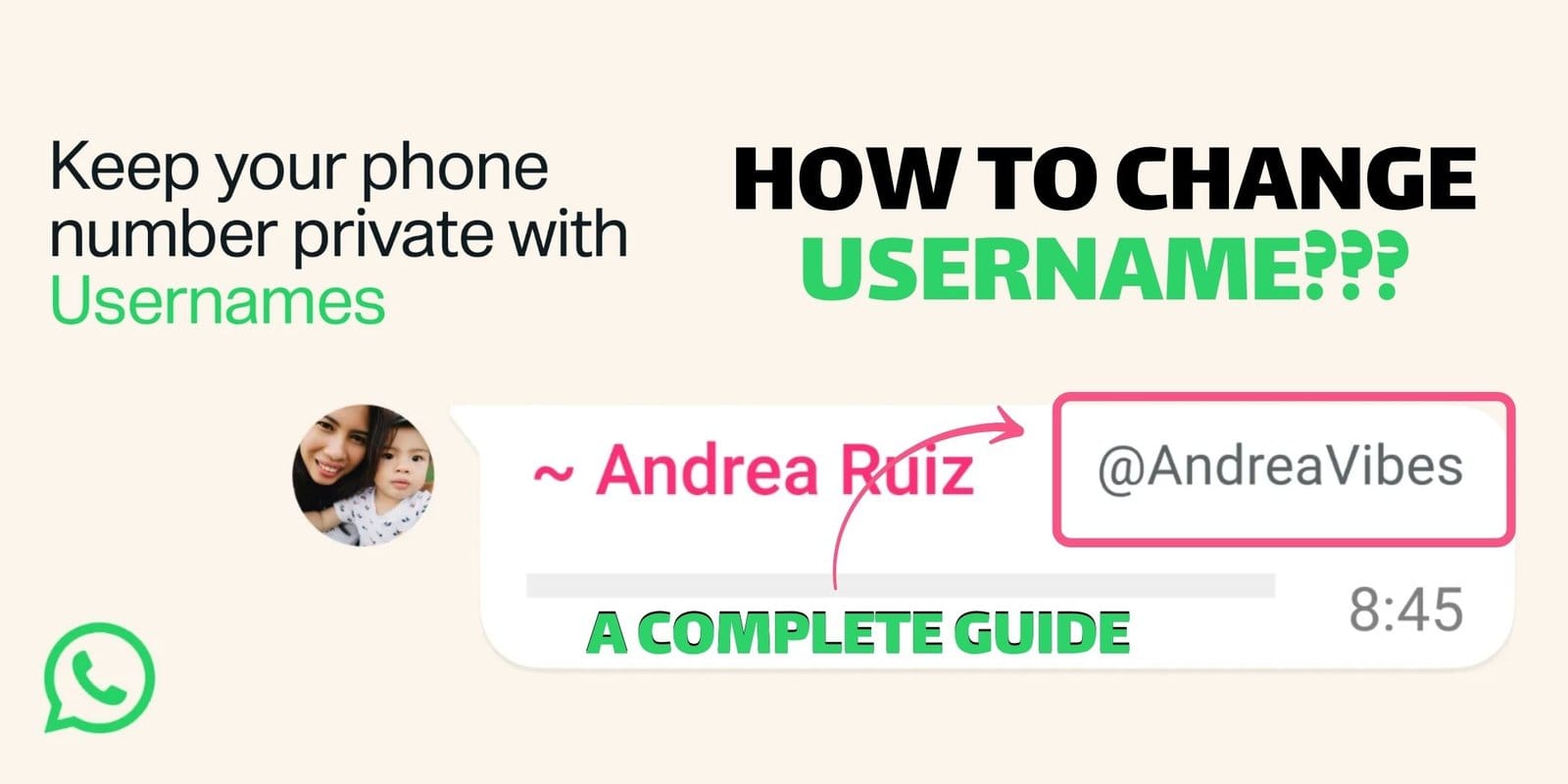
featuring the new update of whatsapp, how to add the username in whatsapp and how you can edit and delete your username

“Your WhatsApp username is not your identity its your end-to-end security. Instead of sharing your phone number for formal and business contacts, you can now keep your personal number private and share your username instead.”

Contents
  • Can You Change and Delete your Username?
  • How can you set a WhatsApp username?
    • How you can set a WhatsApp username on Android:
    • How you change WhatsApp username on IOS:

On 29 June, 2026 Meta announced a major privacy update. Now you can choose a special username for your WhatsApp account. Also you can sync username from Facebook and Instagram if you wish.

According to WhatsApp’s faq: If you don’t want to share your number with someone in order to chat on WhatsApp, you can give username instead.

Can You Change and Delete your Username?

Yes you can change and delete your username at any time. Because this is optional, you can use your WhatsApp without choosing a username, but keep in mind that once you change or delete a username it becomes available for others to claim.

If the username you want is already taken, you will need to choose a different one. Because certain usernames are held for business, governments, or public figures and can not be claimed by others.

How can you set a WhatsApp username?

How you can set a WhatsApp username on Android:
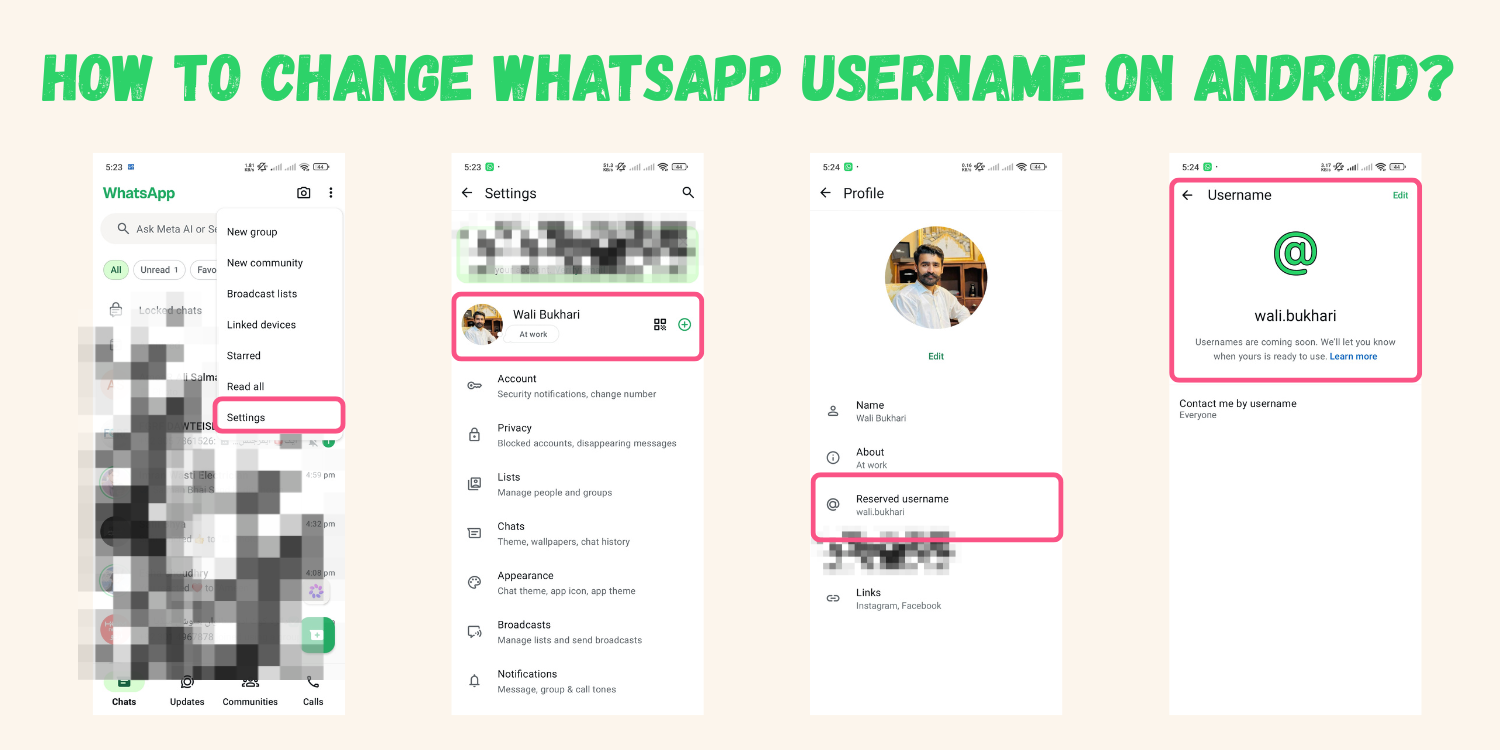
featuring how to add username on android, a-z complete guide. how to change and add the username.

  1. Open your WhatsApp and click on three dots, then click on settings.
  2. Click on your profile picture then scroll down, you will see the username option.
  3. Click on username option and it will take you on the username reservation page.
  4. Select your unique username and reserve it.

How you change WhatsApp username on IOS:
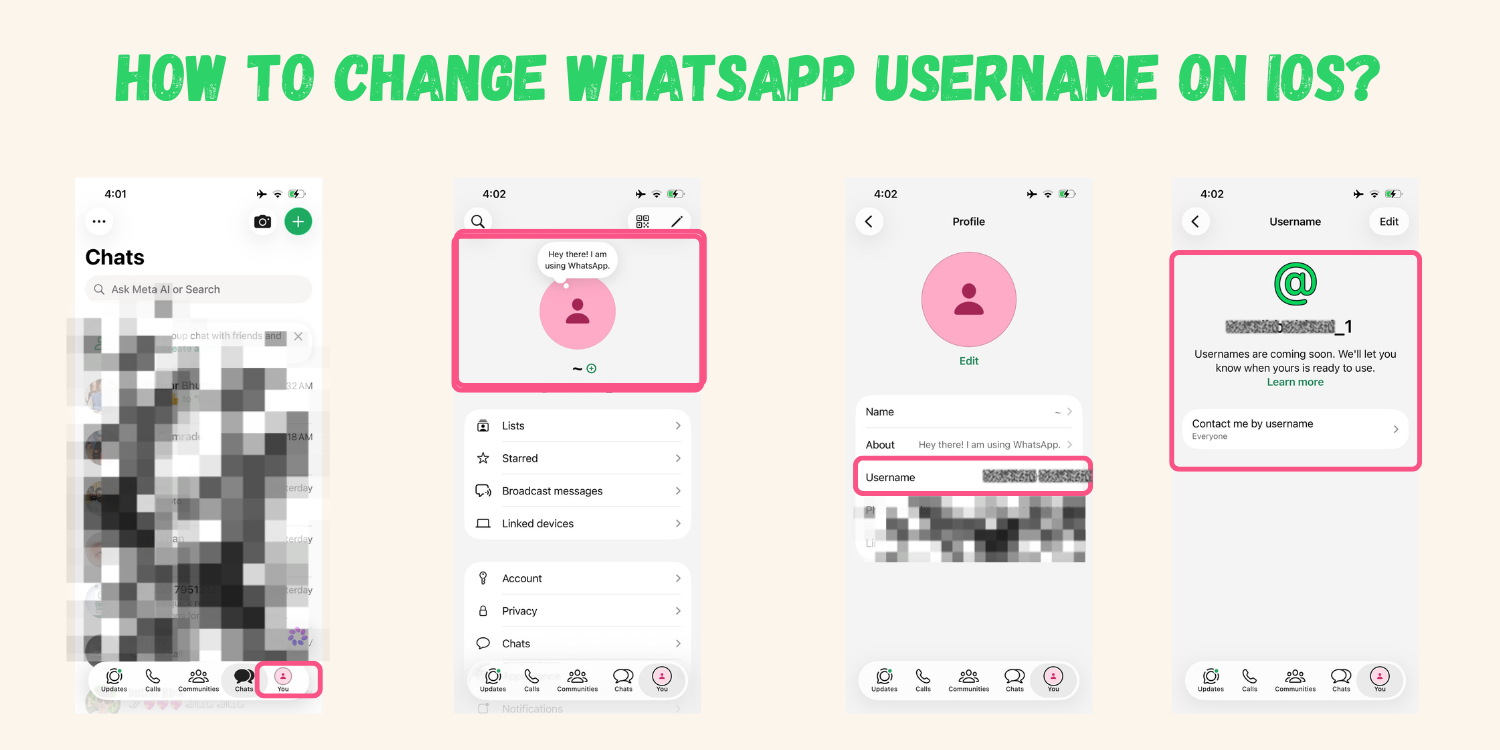
complete guide visual, how to change and edit the username on ios?

  1. Open WhatsApp and you will see the profile picture in the lower right corner, just click on the profile.
  2. Click on the profile picture again and it will take to you on the profile settings.
  3. You can see the username option at 3rd row, now click on the username and select your username.
  4. Reserve username before it will take someone.


TAGGED:how to change username on whatsapptech news WhatsAppwhatsapp new updateWhatsapp UpdateWhatsapp Usernamewhatsappa
Share This Article
Facebook Email Copy Link Print
Leave a Comment Leave a Comment

Leave a Reply Cancel reply

Your email address will not be published. Required fields are marked *

YOU MAY ALSO LIKE

PTCL Flash Fiber surpasses 900,000 subscribers, reinforcing leadership in Pakistan’s fiber broadband market

Pakistan Telecommunication Company Limited (PTCL) has achieved another significant milestone as PTCL Flash Fiber, the company's flagship fiber-to-the-home (FTTH) service,…

Technology
July 14, 2026

BingX Launches Global Community Initiative Following Enzo Fernández’s World Cup Goal

BingX, a leading cryptocurrency exchange and Web3-AI company, is celebrating one of the defining moments on football’s biggest stage after…

Technology
July 10, 2026

BingX Launches SK Hynix ADR Pre-IPO Trading with a $100,000 Prediction Campaign

BingX, a leading cryptocurrency exchange and Web3-AI company, today announced the launch of SK Hynix ADR pre-IPO trading on its…

Technology
July 7, 2026

Telenor Pakistan formally amalgamates into PTML following statutory approvals

Telenor Pakistan will formally amalgamate into Pak Telecom Mobile Limited PTML (Ufone 5G) with effect from July 2026, marking the…

Technology
July 3, 2026
Markhor Times is an independent, privately owned publication focusing on Domestic and Global Affairs and bringing truth forward in this fast paced, biased world of media. MT is one of the emerging e-outlets in Pakistan, headquartered in Pakistan.

Follow US: 

Markhor Times Advertising (SMC-PRIVATE) Limited

Email: ameer@markhortimes.com
Tel: +92-3348881455

Welcome Back!

Sign in to your account

Username or Email Address
Password

Lost your password?